Cloud Simulator
Built a browser-based simulator where you push traffic through a cloud architecture, break parts of it on purpose, and see why it failed and what fixes it.
- Designer & engineer
- TypeScript, React, PixiJS, Zustand
What Cloud Simulator is
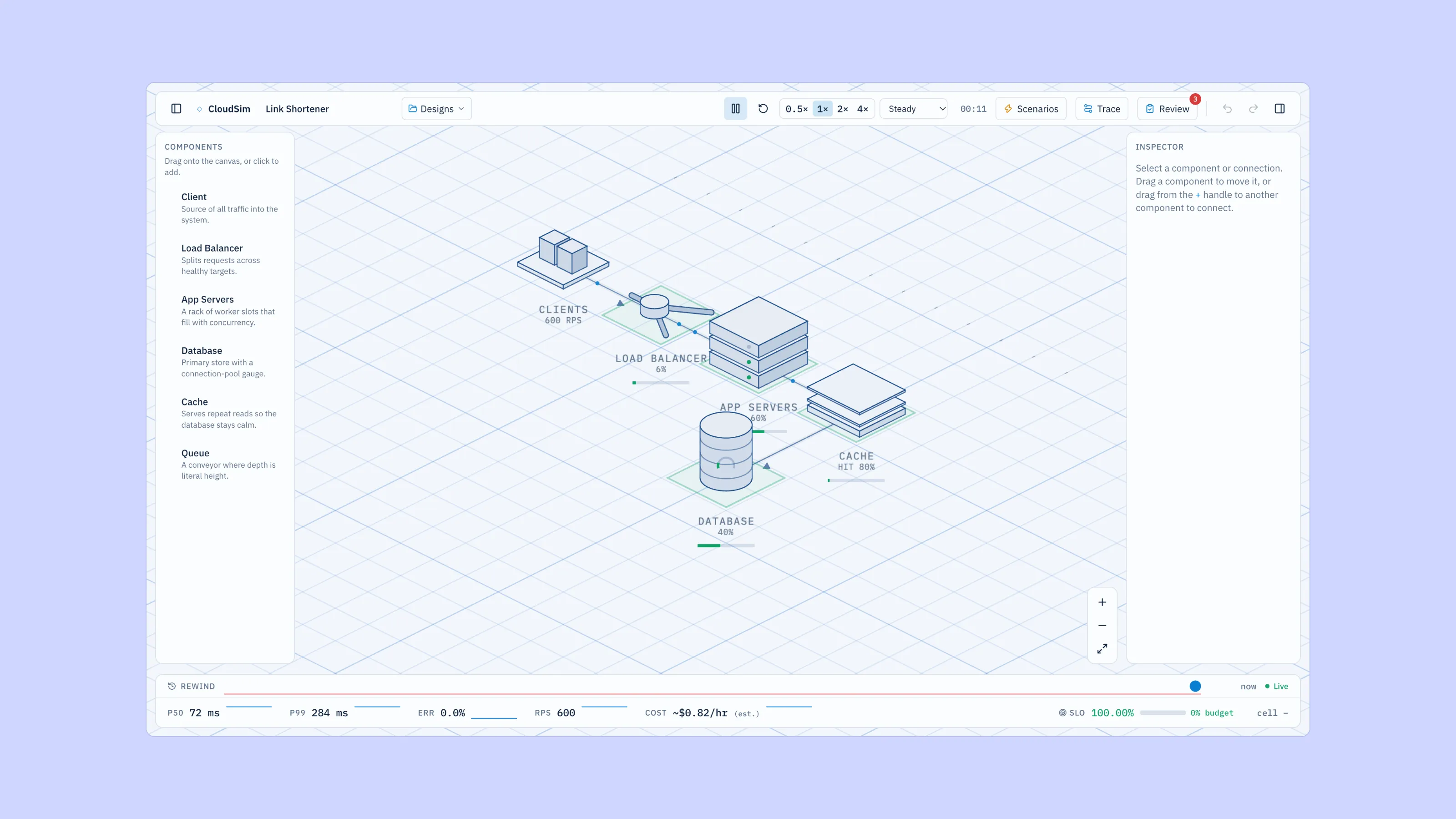
Cloud Simulator (CloudSim) turns a cloud architecture into a living model. You open a design or build one, push traffic through it, break parts of it, and watch what happens on an isometric blueprint canvas.
It explains why something broke, suggests fixes by running experiments, and compares a design before and after the change.
Diagrams show what is connected, not how it behaves
A diagram with a load balancer, a cache and a replica looks resilient until real traffic exposes a slow query, an exhausted connection pool or a retry storm.
Learners study system design from static boxes and arrows. Engineers find weaknesses late, in production or in expensive load tests. Teams argue about changes with no shared way to show their effect.
Making state visible on the object
Every service is drawn as its own object that shows its internal state: queue depth as literal height, connection-pool usage as a gauge, capacity headroom as worker slots that fill up. Traffic flows as particles, and a failed component desaturates and cracks.
The picture explains the problem before any panel does. Rendering is done in PixiJS so thousands of particles stay smooth, while React panels update from a throttled snapshot instead of every frame.
A simulation people can believe
The biggest risk for a tool like this is a model nobody trusts. The engine is small, pure TypeScript with no UI imports, driven by a fixed tick and seeded randomness so the same scenario always gives the same result.
Every formula and assumption is written down, cost is always labelled as an estimate, and assumed values are marked as assumed. The simulation, the analysis and the file format are covered by unit tests.
From “it broke” to “here is the fix”
Scenarios such as traffic spikes, node failures and slow dependencies are one click. On top of the engine sit bottleneck explanations in plain language, fixes suggested by experiment and re-run automatically, a capacity finder that locates the load where a design breaks, service-level targets, and request tracing.
Product, design and engineering
Wrote the product specification and the technical plan, designed the blueprint visual system, and built the whole thing: the simulation engine, the canvas, the editing experience and the marketing site.
It is frontend only. There is no backend or accounts; designs autosave in the browser and export as JSON.
See an architecture breathe, then break it on purpose
A learner can open a preset, run a scenario, and say which component failed and why within seconds. A suggested fix can be applied and compared side by side with the original design.